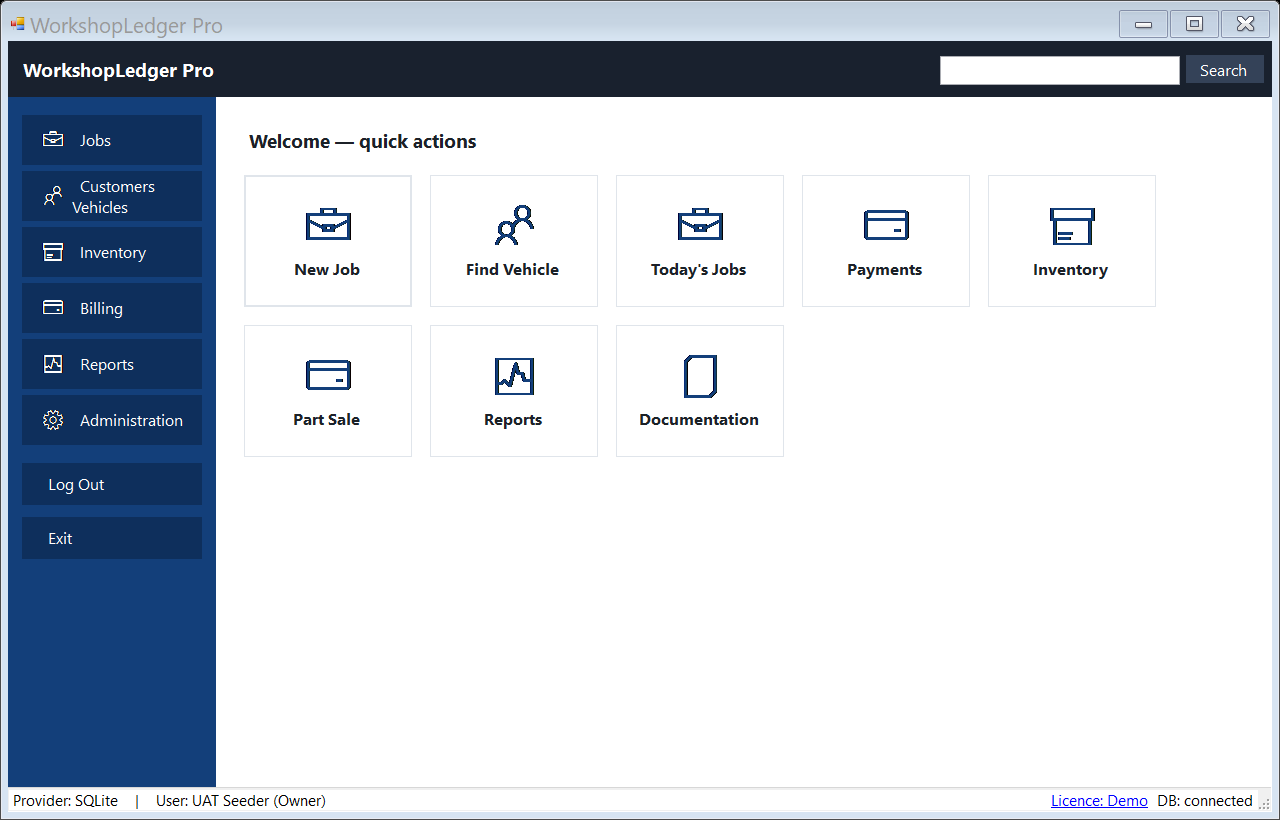
Home dashboard / quick actions
The main WorkshopLedger Pro shell gives front-desk users direct access to New Job, Find Vehicle, Today’s Jobs, Payments, Parts, and Reports.
These screenshots come from the Windows application UI pass and are now used across the website to show the actual product direction.
The main WorkshopLedger Pro shell gives front-desk users direct access to New Job, Find Vehicle, Today’s Jobs, Payments, Parts, and Reports.
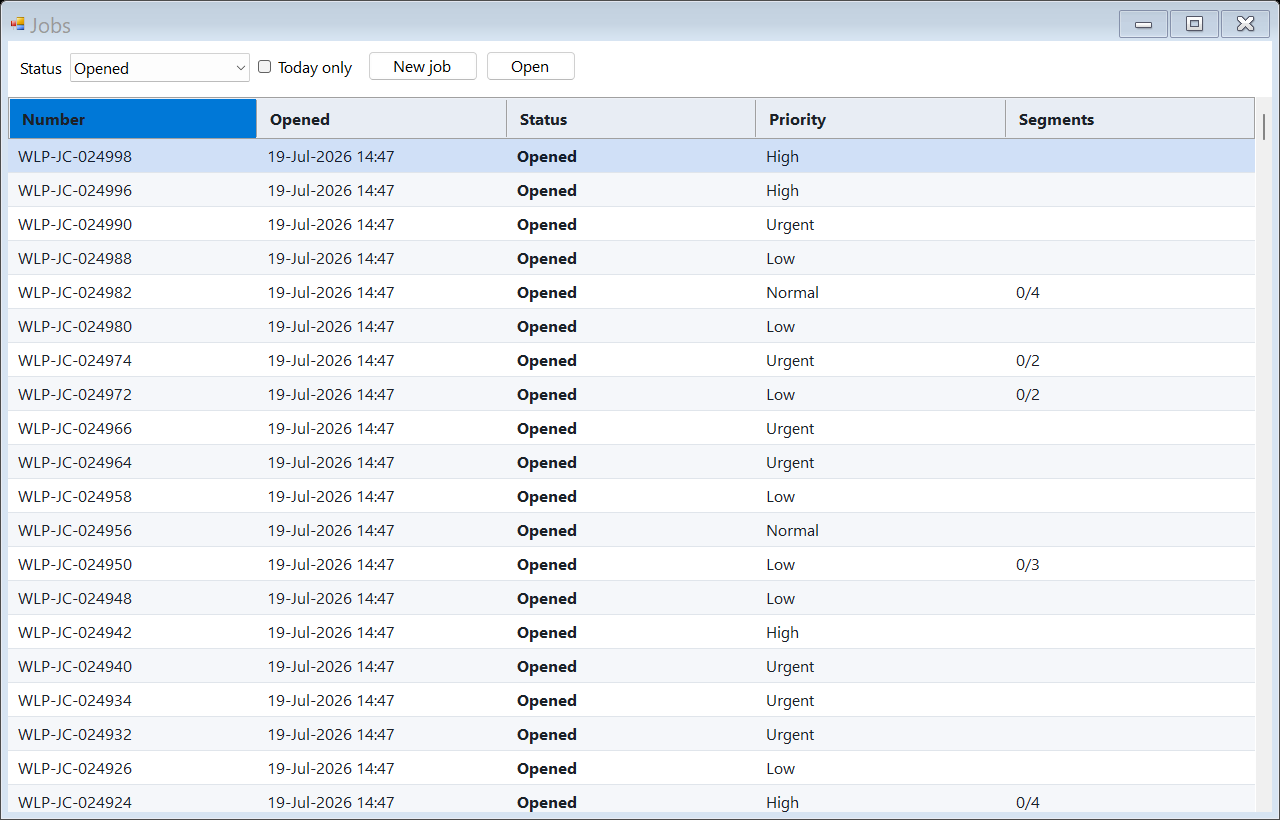
Track workshop jobs by status, vehicle, customer, technician, and repair progress from one operational board.
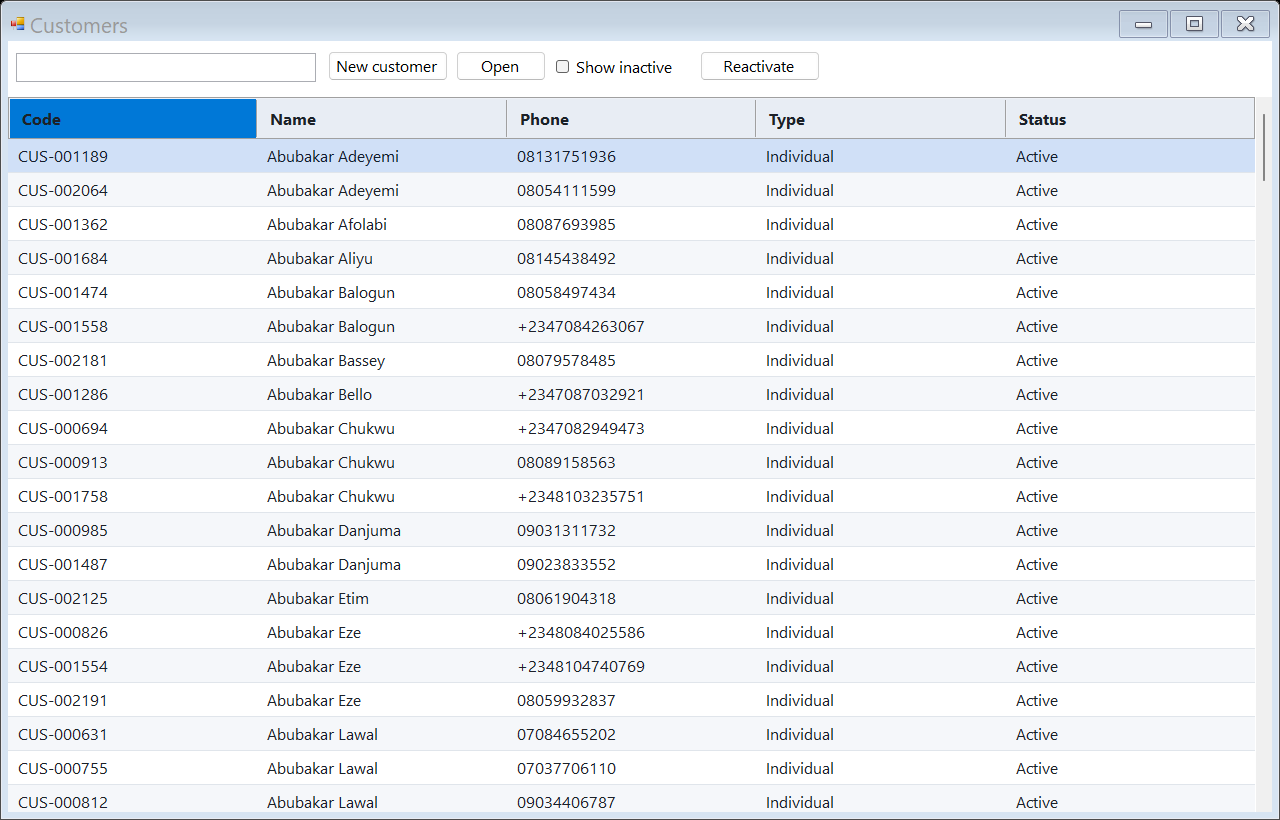
Keep customer, plate number, vehicle, and service-history records searchable instead of scattered across notebooks and WhatsApp chats.
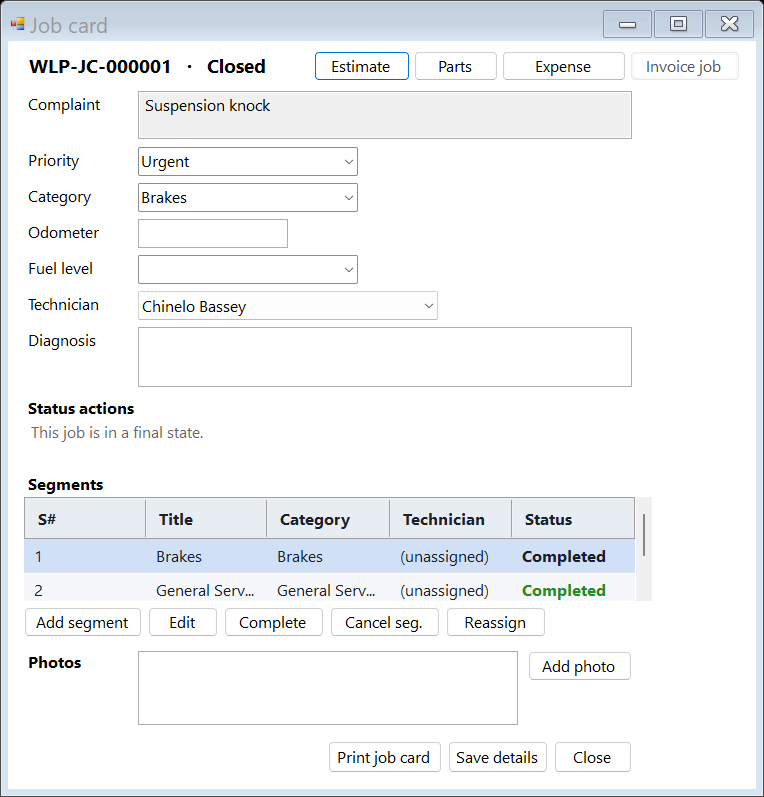
Capture complaint, mileage, fuel level, diagnosis, job category, technician assignment, and repair notes in a structured job card.
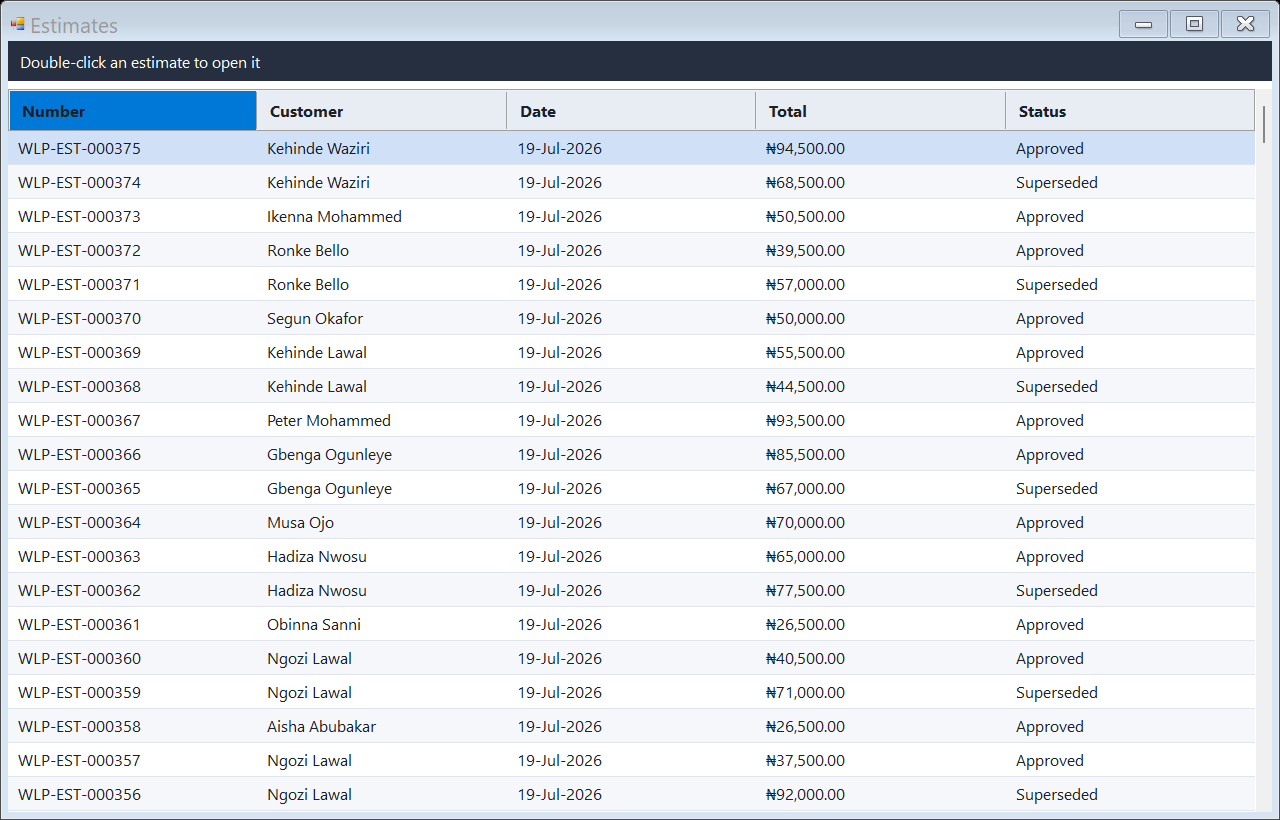
Prepare labor and parts estimates before approval, then convert approved work into invoices and receipts.
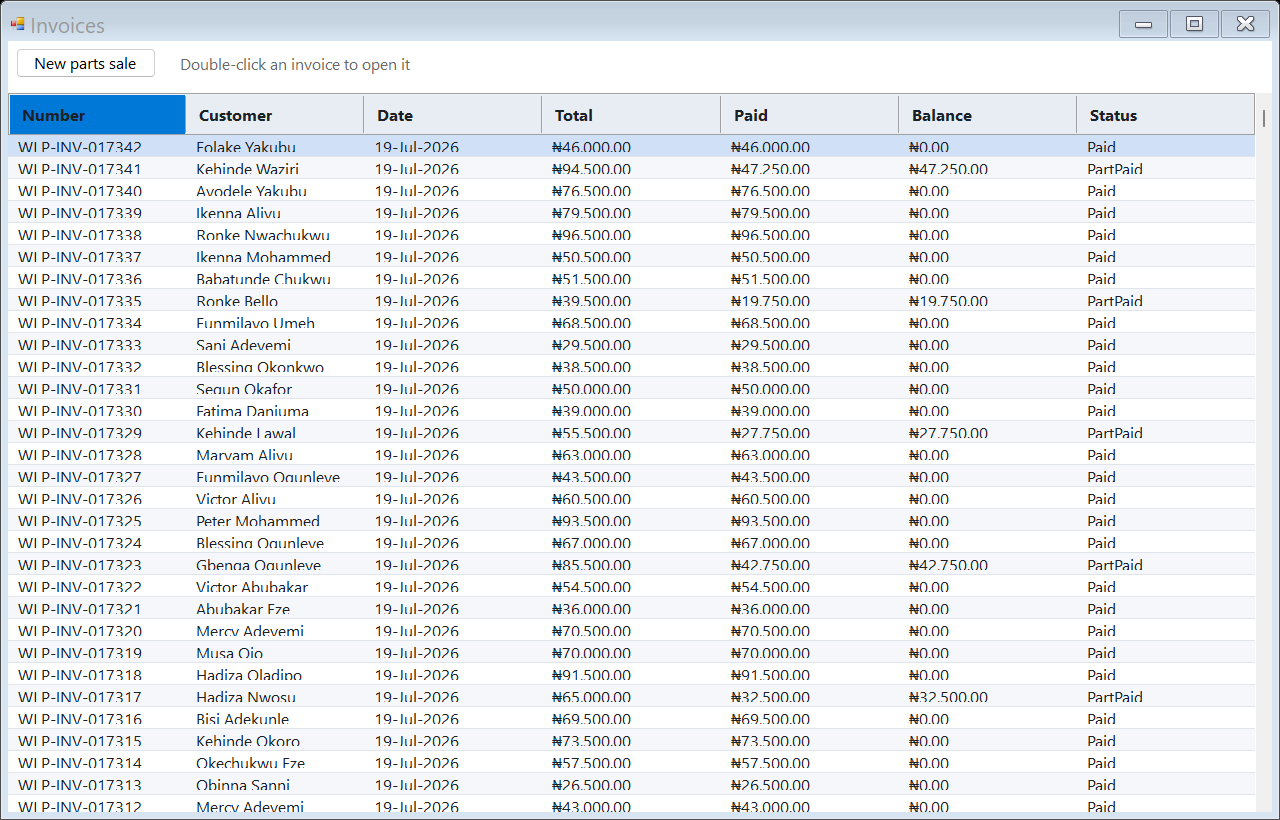
Manage workshop invoices, paid/unpaid status, customer balances, and billing history.
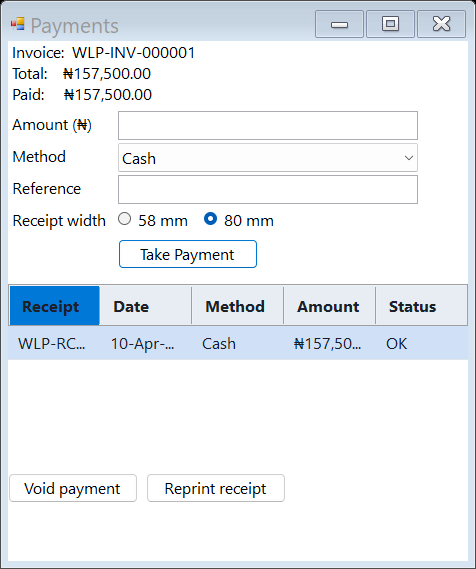
Record cash, transfer, POS, partial payments, references, and balances from the same payment screen.
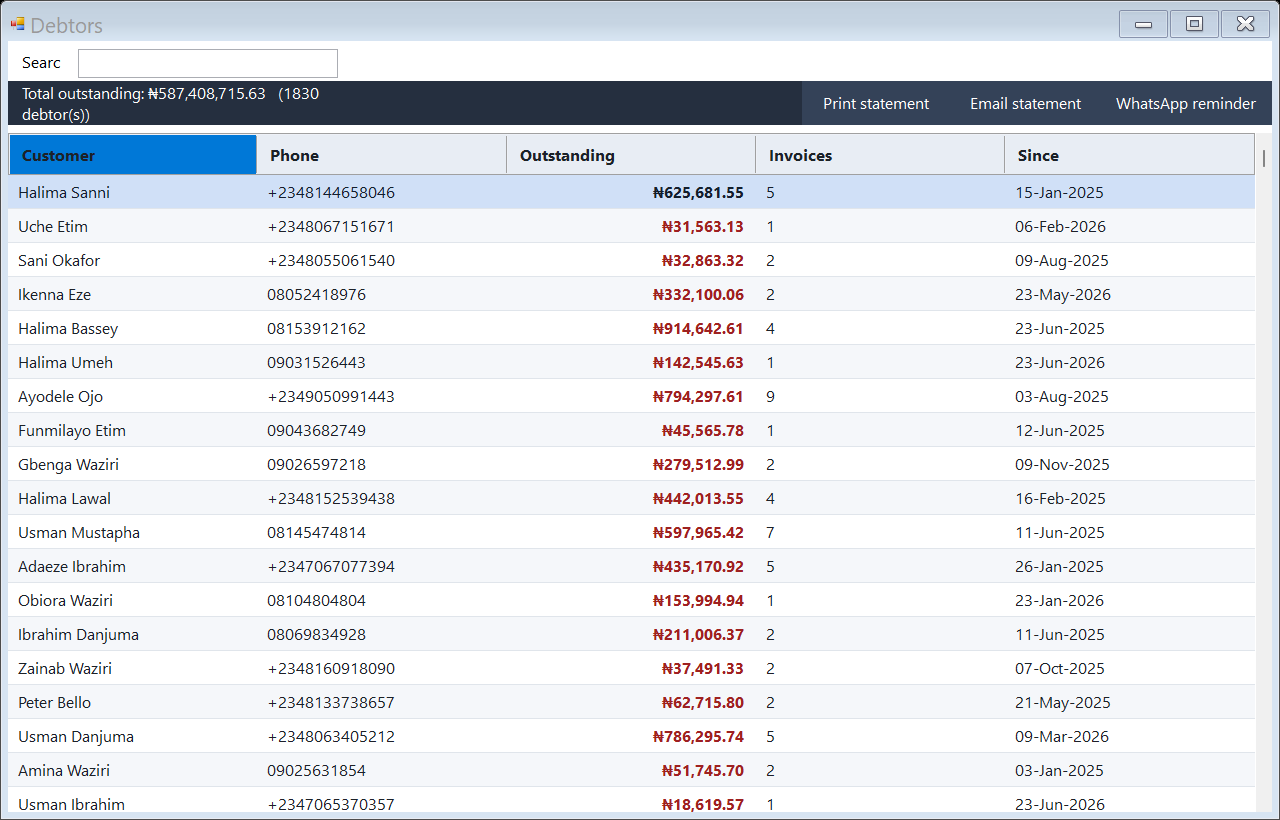
See who owes the workshop, how much is outstanding, and which invoice/job created the balance.
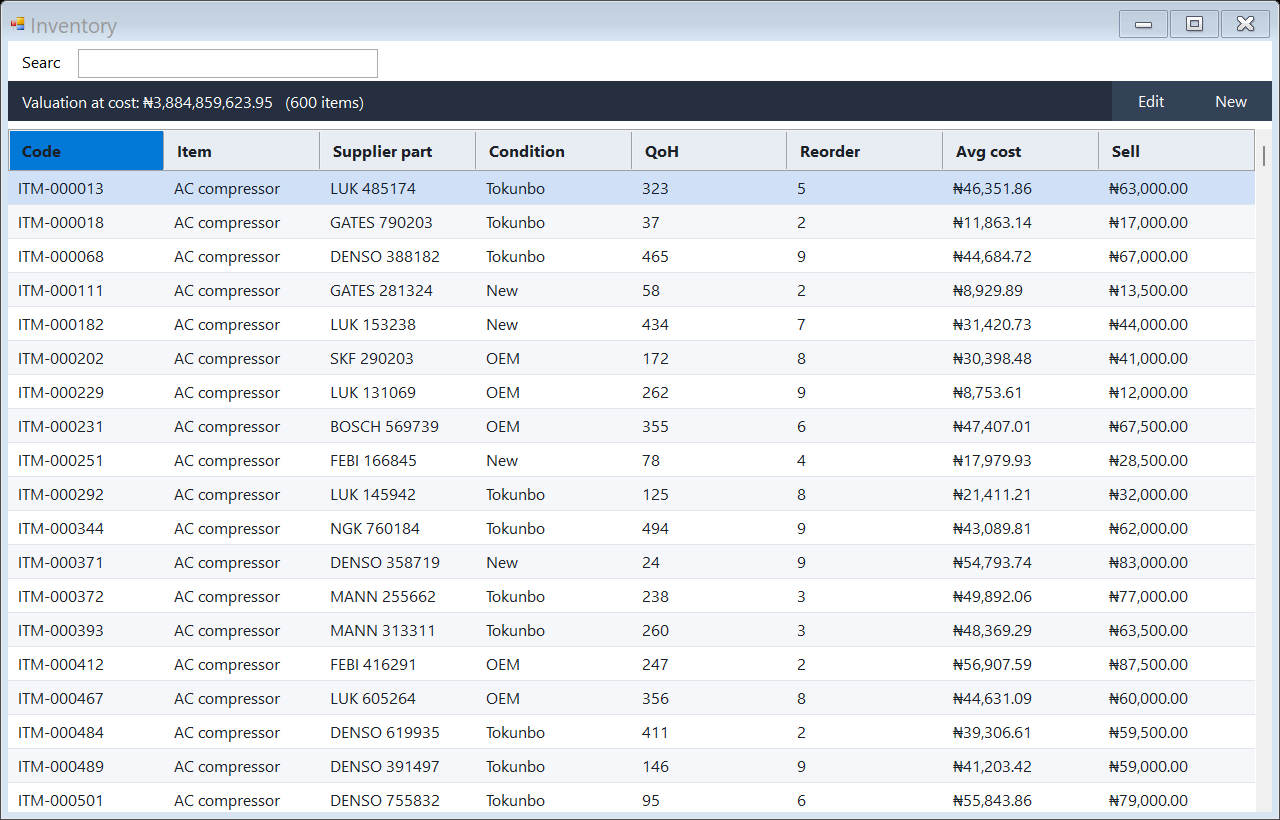
Maintain parts inventory with item codes, categories, quantities, reorder levels, costs, and selling prices.
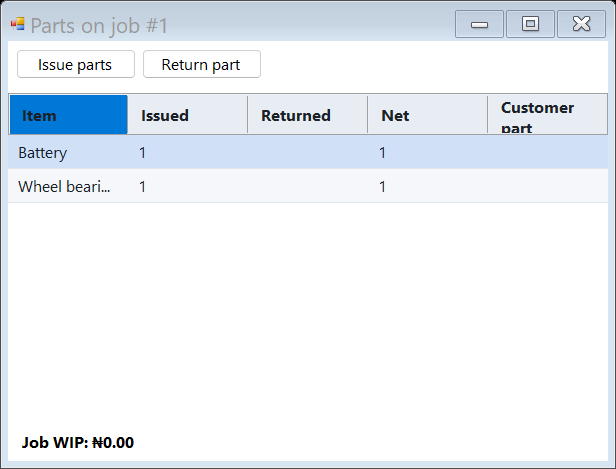
See parts attached to a job card and connect inventory usage directly to a vehicle repair.
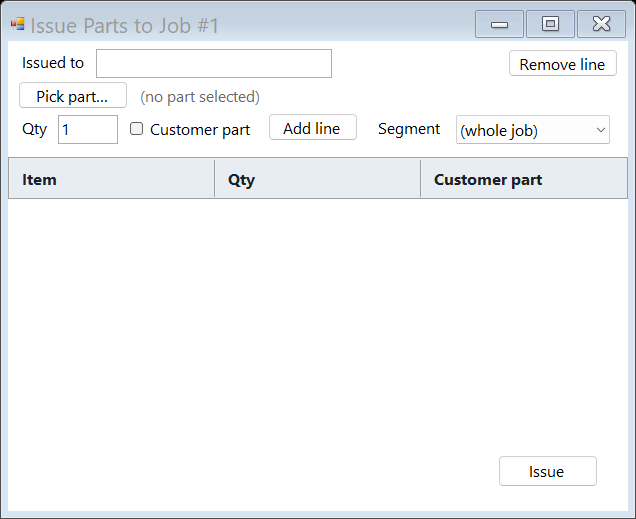
Issue parts to a specific job card and technician to reduce leakage and missing-parts disputes.
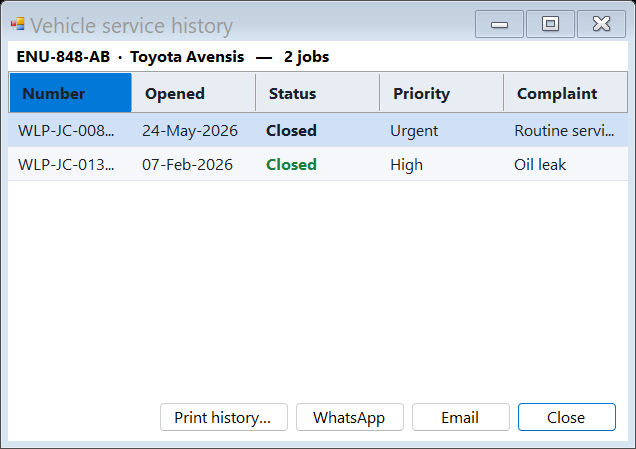
Show a vehicle’s prior visits, job cards, invoices, and repairs before starting new work.
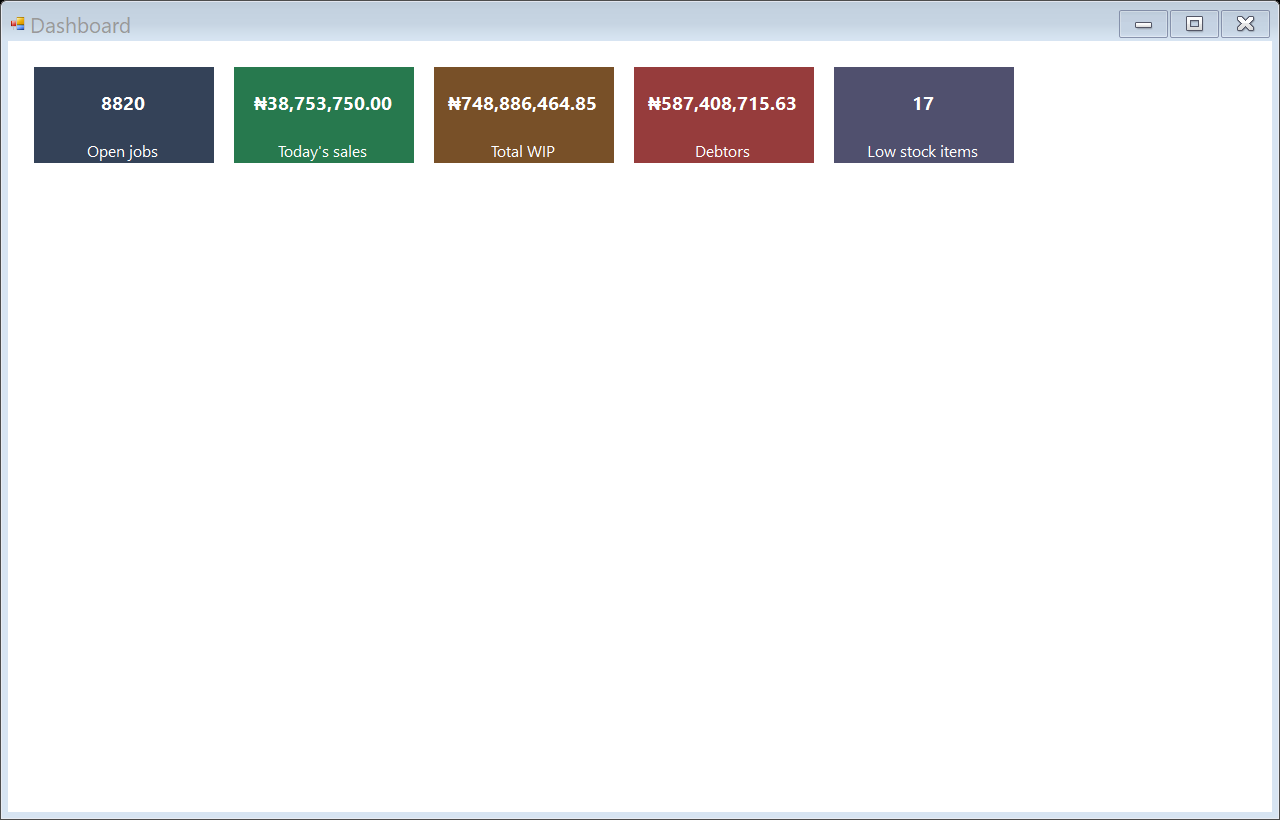
Give the owner visibility into workshop performance, job activity, billing, and operational indicators.
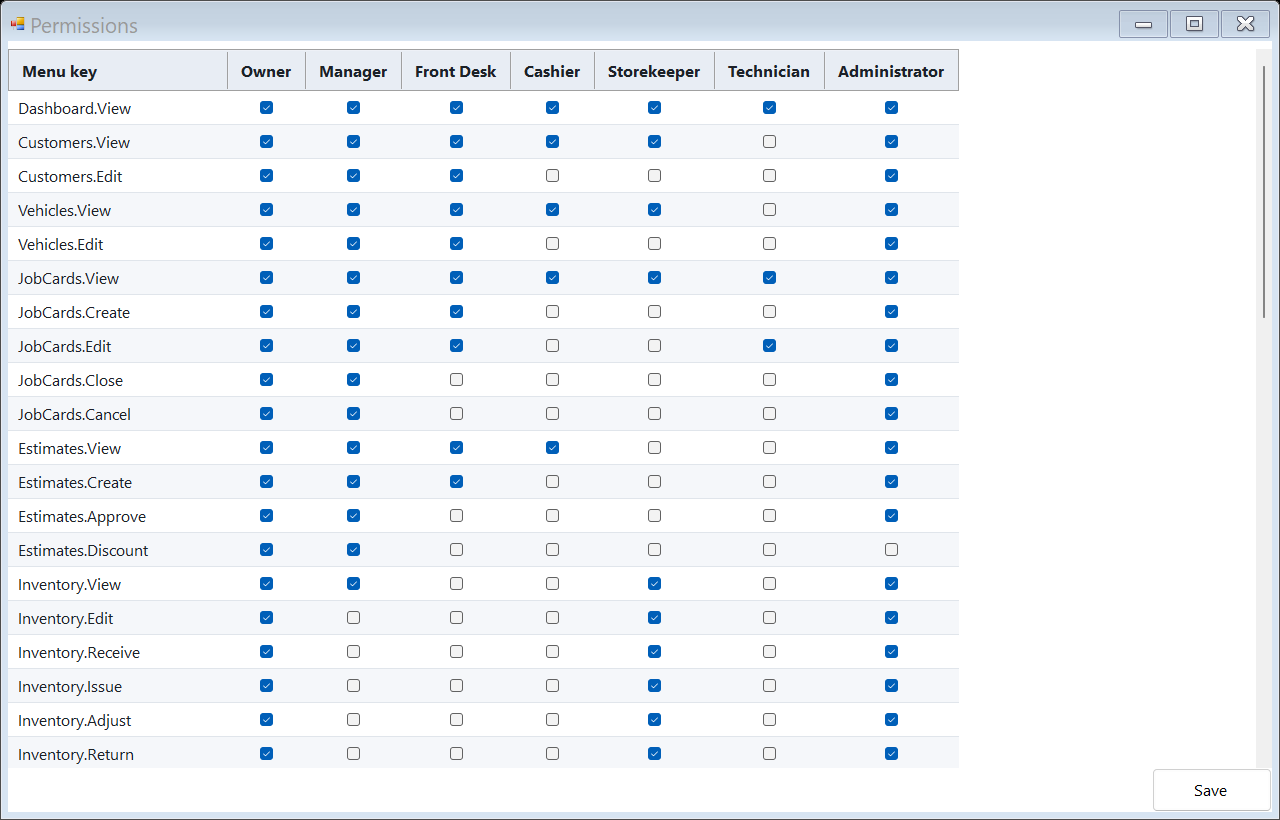
Control what users can view or change using role and permission settings.
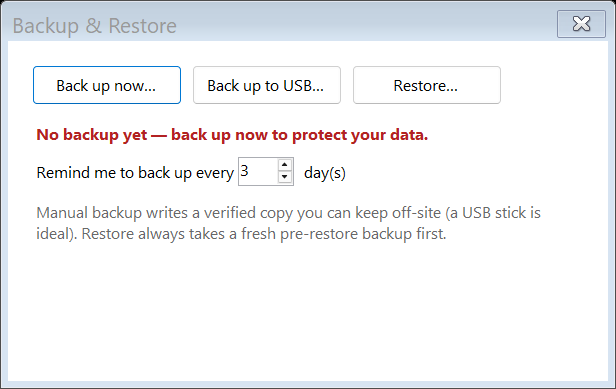
Backup and restore screens make data protection part of the product, not a technical afterthought.
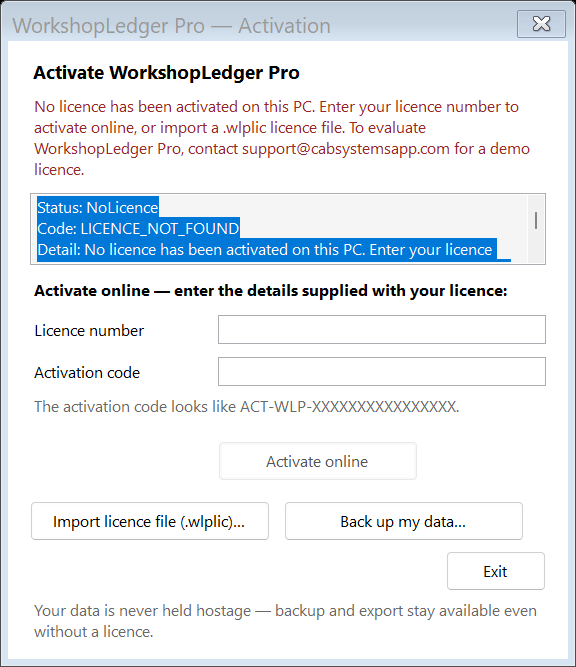
Activate online with your licence number and activation code, or import a signed .wlplic file to run fully offline. Your data is never held hostage — backup and export stay available even without a licence.
The main WorkshopLedger Pro shell gives front-desk users direct access to New Job, Find Vehicle, Today’s Jobs, Payments, Parts, and Reports.
Track workshop jobs by status, vehicle, customer, technician, and repair progress from one operational board.
Capture complaint, mileage, fuel level, diagnosis, job category, technician assignment, and repair notes in a structured job card.
Keep customer, plate number, vehicle, and service-history records searchable instead of scattered across notebooks and WhatsApp chats.
Show a vehicle’s prior visits, job cards, invoices, and repairs before starting new work.
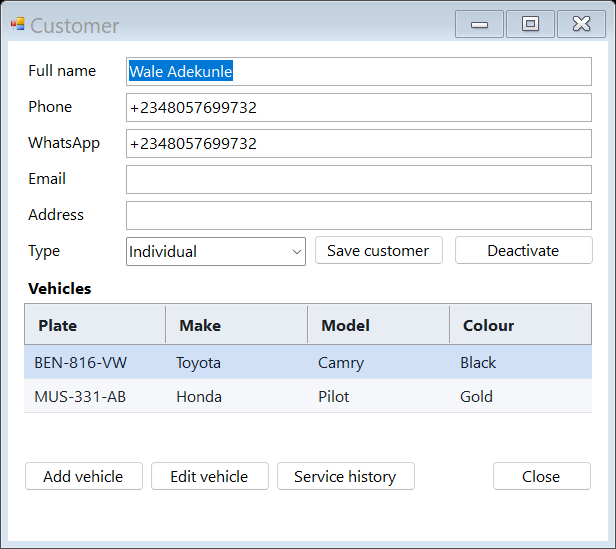
Maintain customer contact details, phone numbers, and notes.
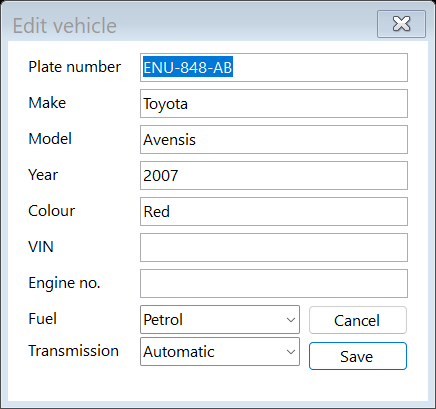
Maintain plate number, make, model, year, colour, VIN, engine number, mileage, and notes.
Prepare labor and parts estimates before approval, then convert approved work into invoices and receipts.
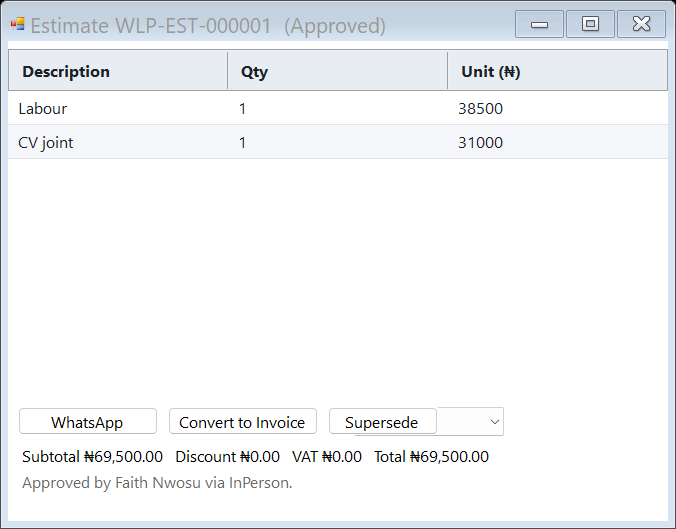
Create detailed estimates with labour/parts lines and customer approval workflow.
Manage workshop invoices, paid/unpaid status, customer balances, and billing history.
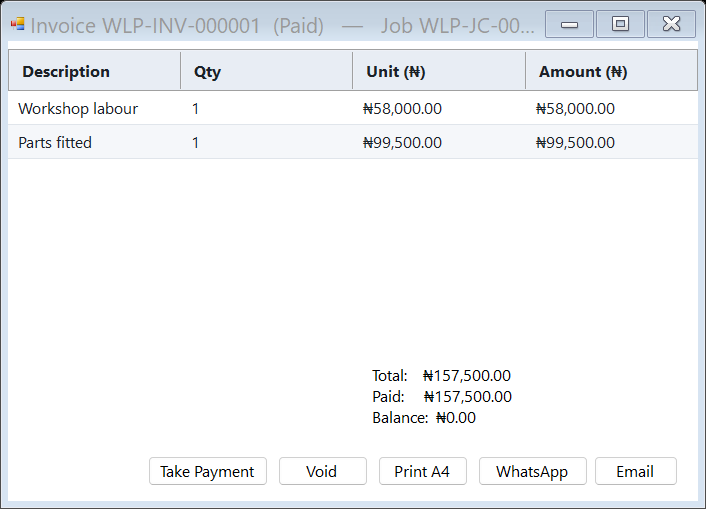
Review invoice lines, totals, paid amount, balance due, and printable billing details.
Record cash, transfer, POS, partial payments, references, and balances from the same payment screen.
See who owes the workshop, how much is outstanding, and which invoice/job created the balance.
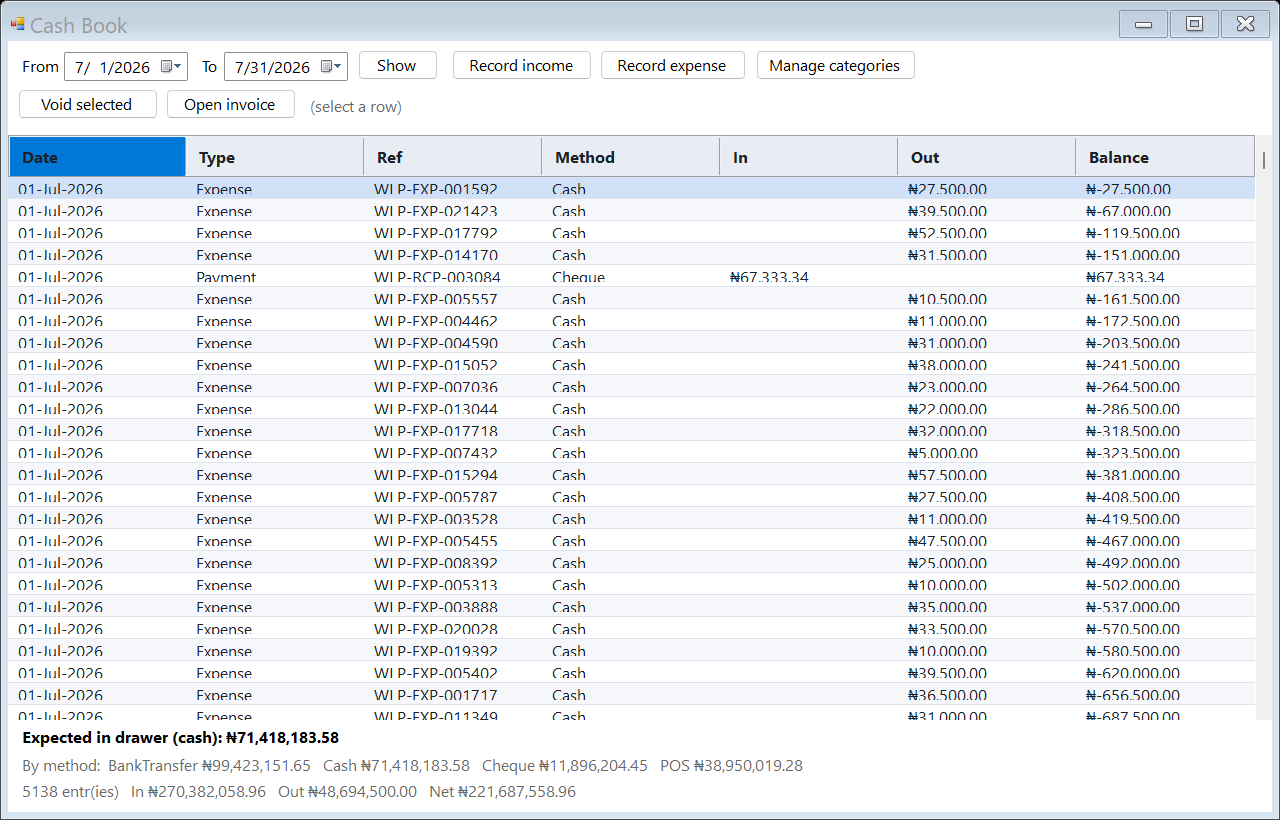
Track cash in and out — income, expenses, payments, and running balance — with expected cash-in-drawer shown at a glance.
Maintain parts inventory with item codes, categories, quantities, reorder levels, costs, and selling prices.
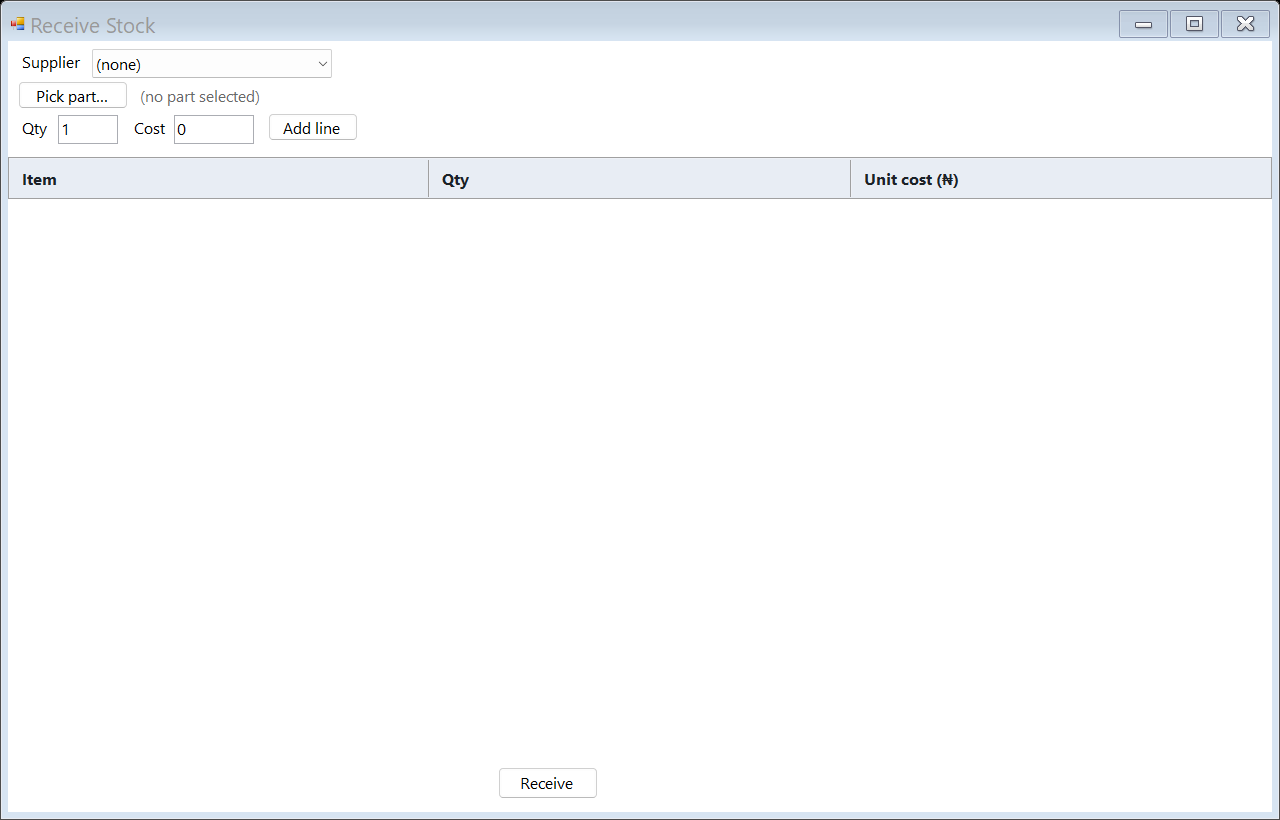
Record parts received from suppliers and update stock quantities under controlled inventory workflow.
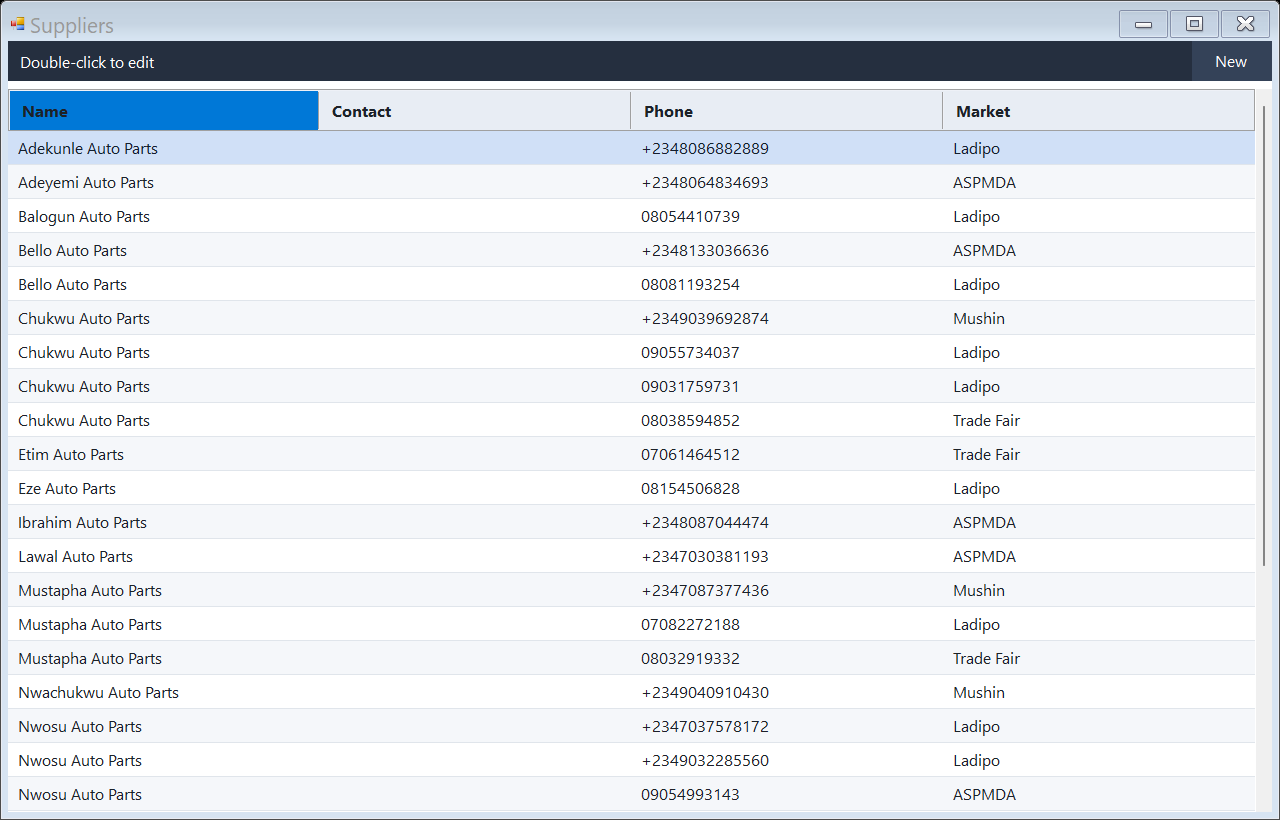
Track suppliers used by the workshop for parts purchases and accountability.
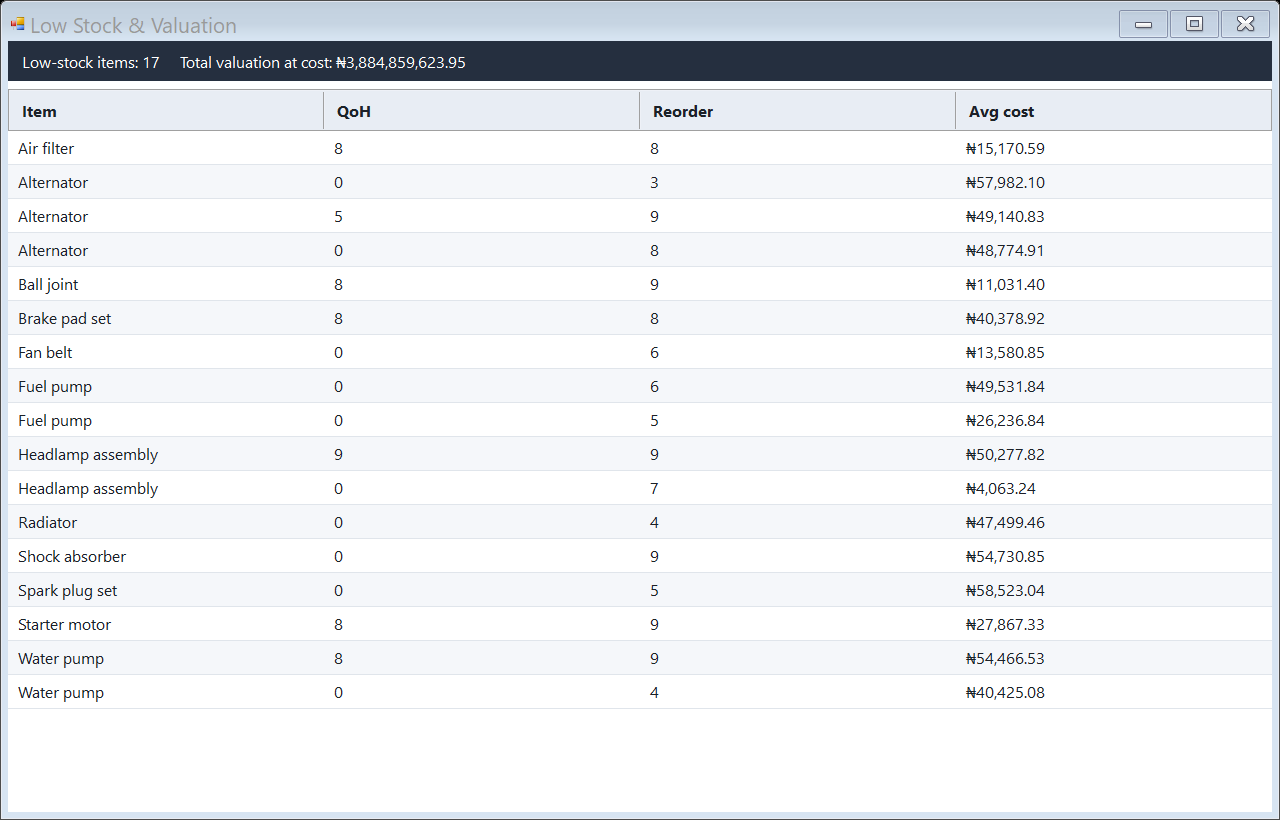
Identify items that need replenishment before a repair is delayed by missing parts.
See parts attached to a job card and connect inventory usage directly to a vehicle repair.
Issue parts to a specific job card and technician to reduce leakage and missing-parts disputes.
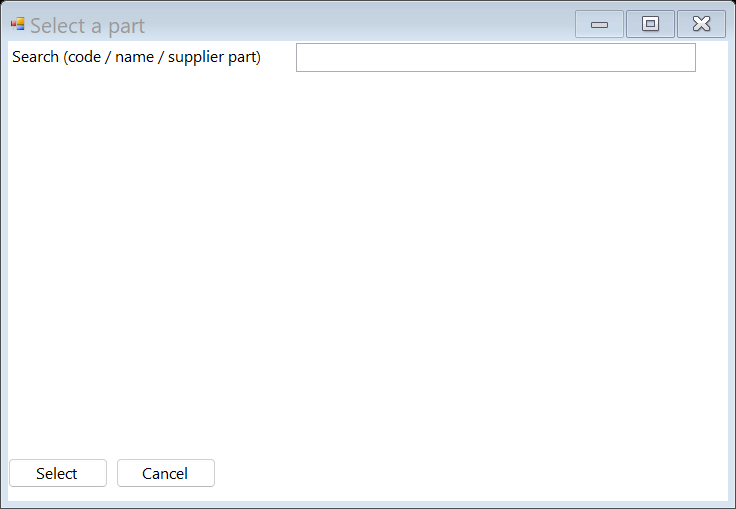
Select parts from inventory when preparing estimates or issuing stock to a job.
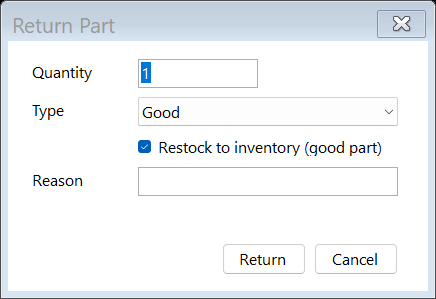
Record parts returned from jobs, including quantity and reason.
Give the owner visibility into workshop performance, job activity, billing, and operational indicators.
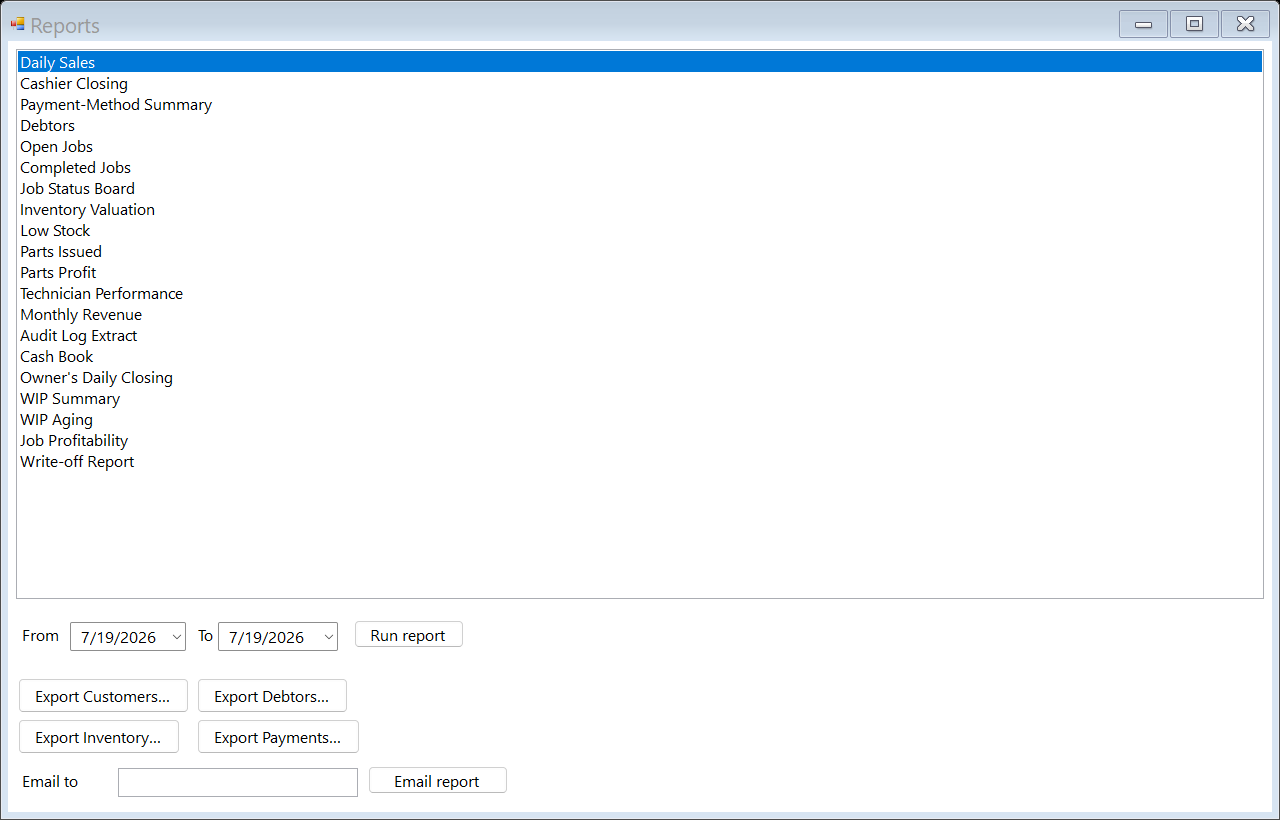
Run daily sales, open jobs, debtors, inventory, technician, and audit-style reports.
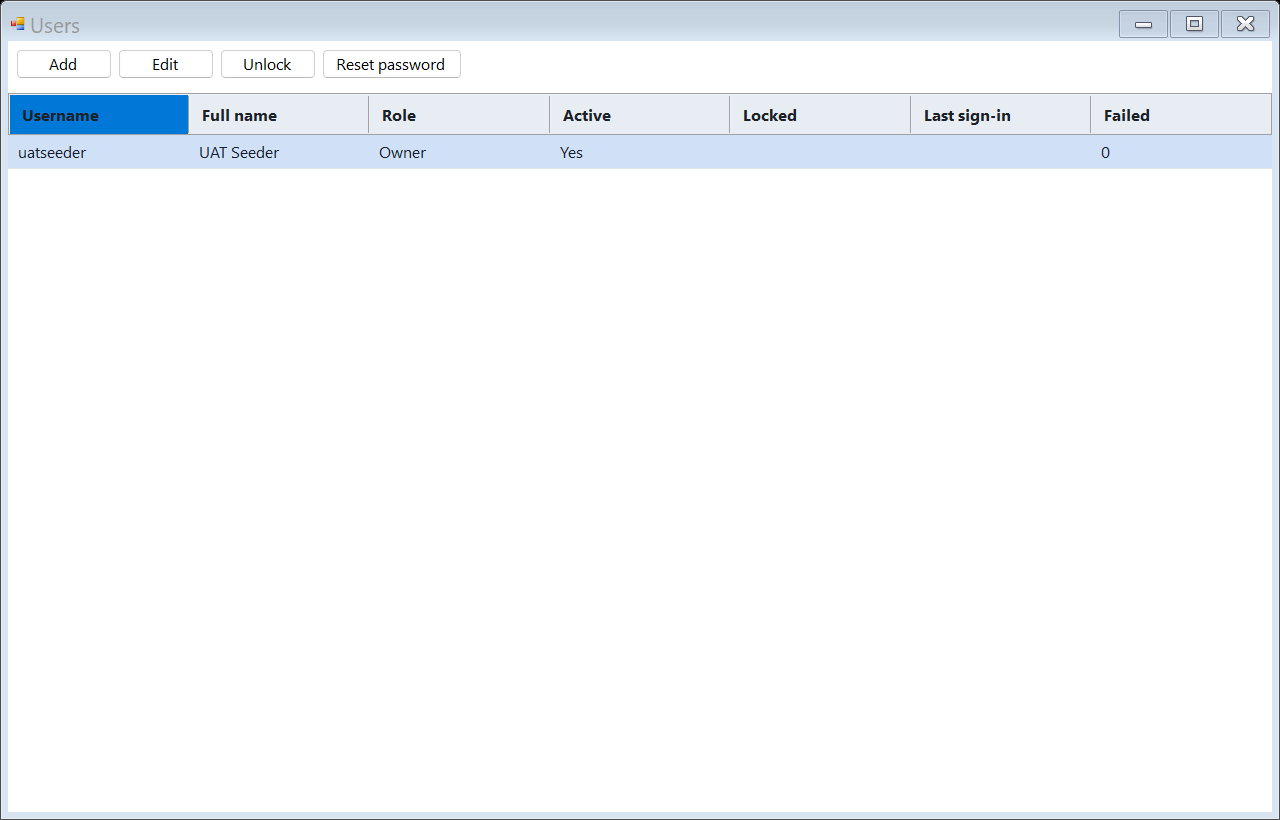
Create and manage system users for the workshop.
Control what users can view or change using role and permission settings.
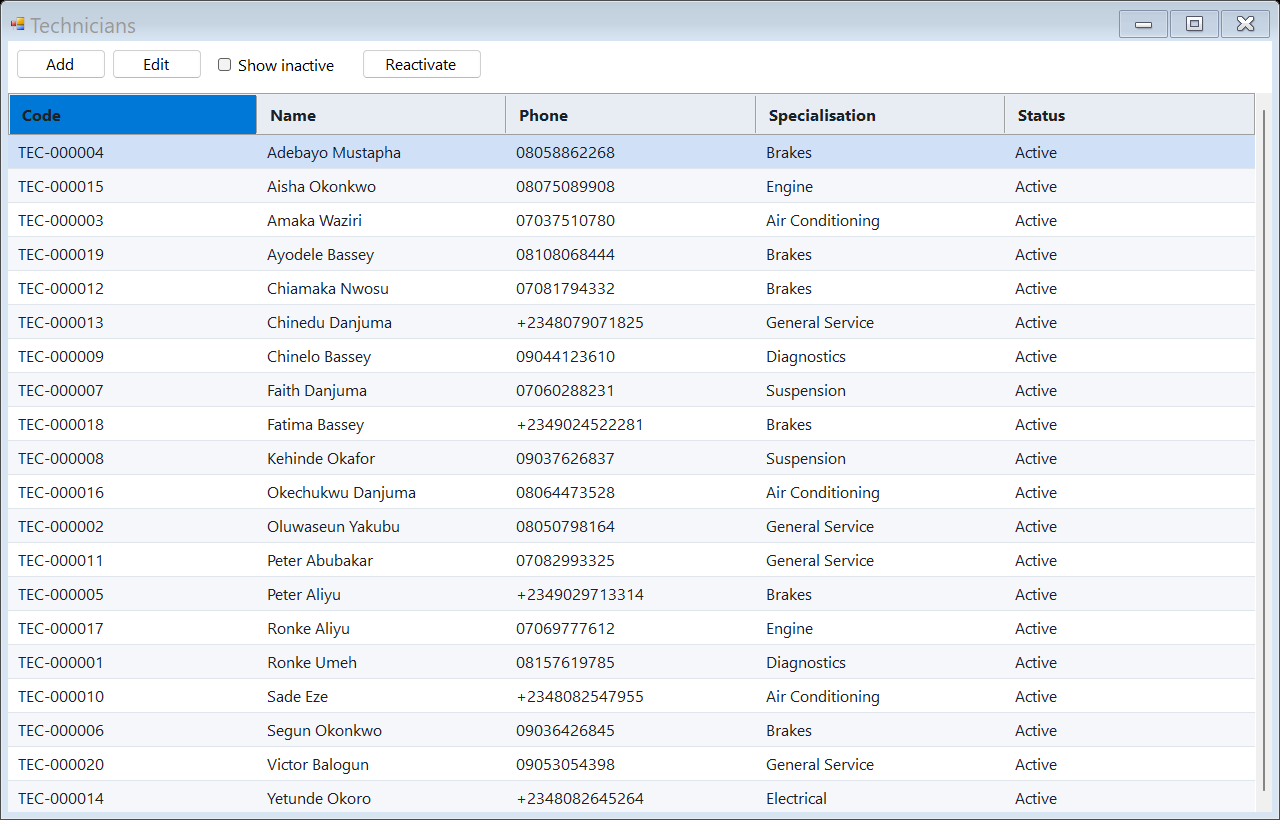
Maintain technician records for assignment, performance, and accountability.
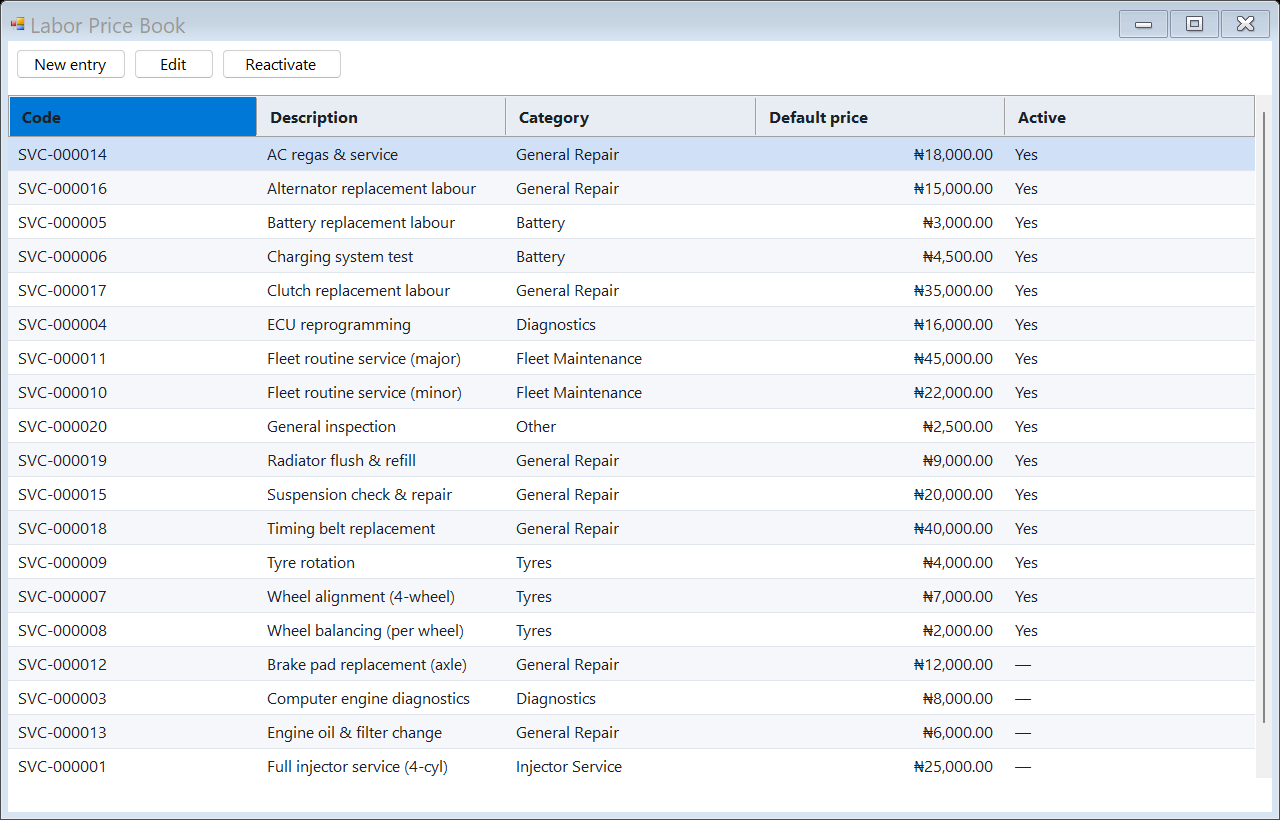
Maintain common service/labour prices so estimates are faster and more consistent.
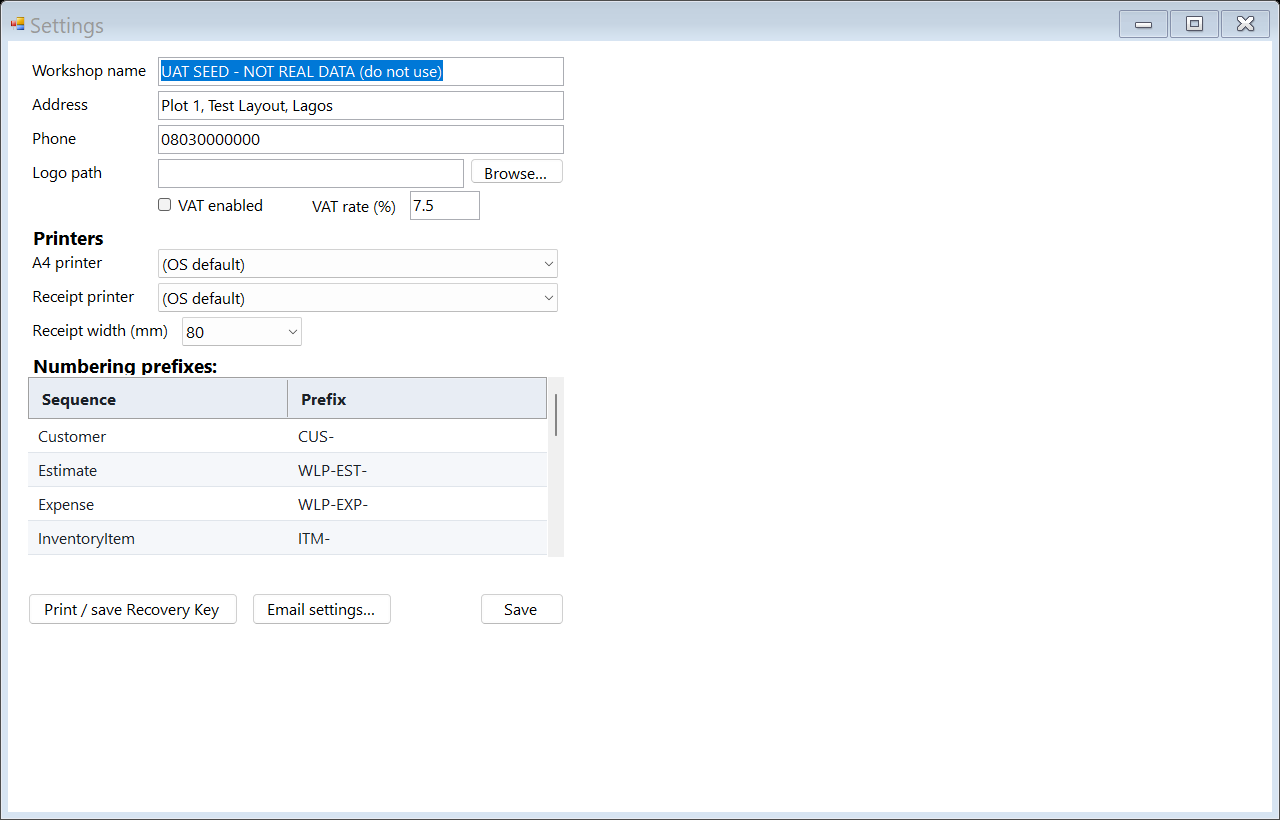
Configure workshop profile, tax/printing, numbering, and operational settings.
Backup and restore screens make data protection part of the product, not a technical afterthought.
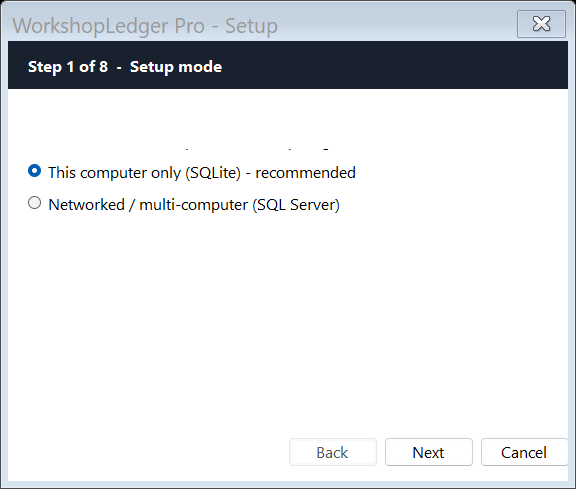
First-run setup starts by choosing the right operating mode for the workshop.
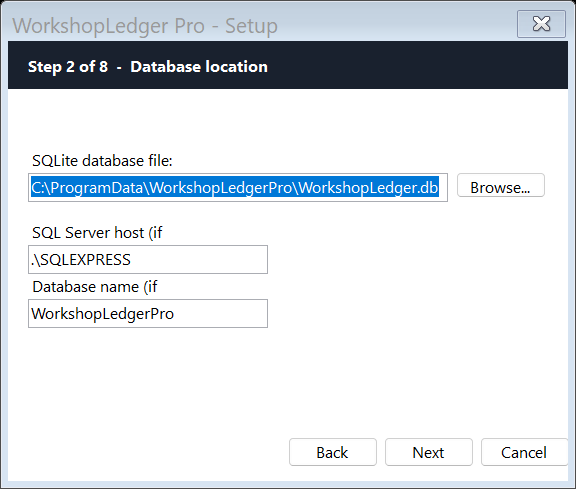
Configure local SQLite storage for standalone installations or prepare for SQL Server deployment.
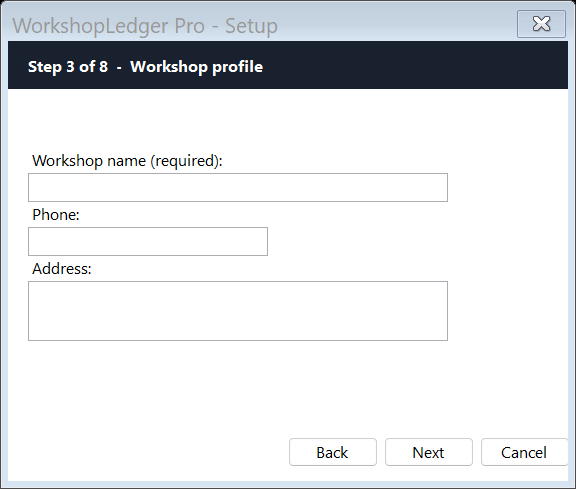
Capture workshop identity for printed documents, receipts, and business records.
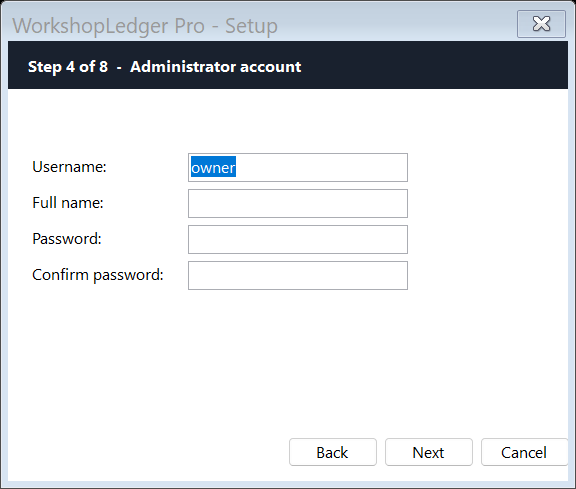
Create the first administrator account during setup.
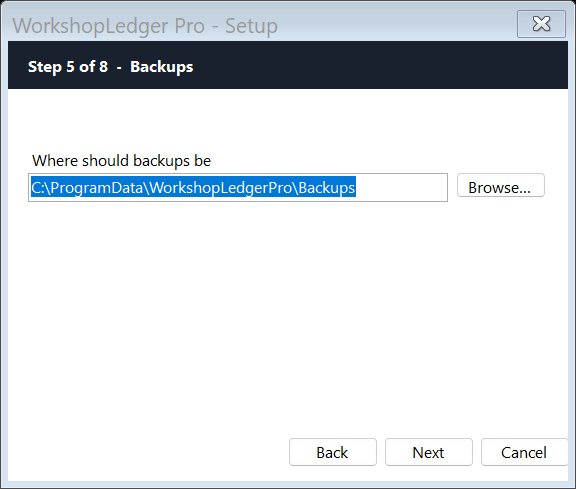
Configure backups early so a dead computer does not become lost workshop records.
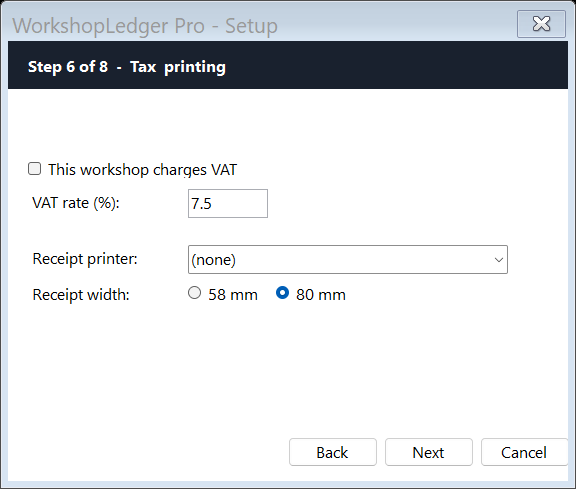
Configure VAT/tax and printing behavior for invoices, receipts, and reports.
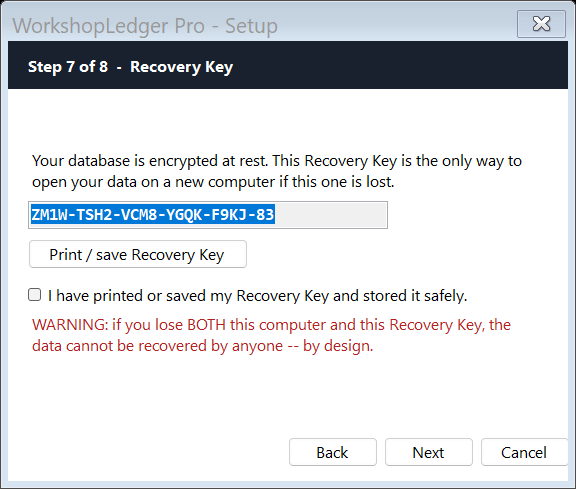
Recovery-key workflow supports controlled restoration and administrative recovery.
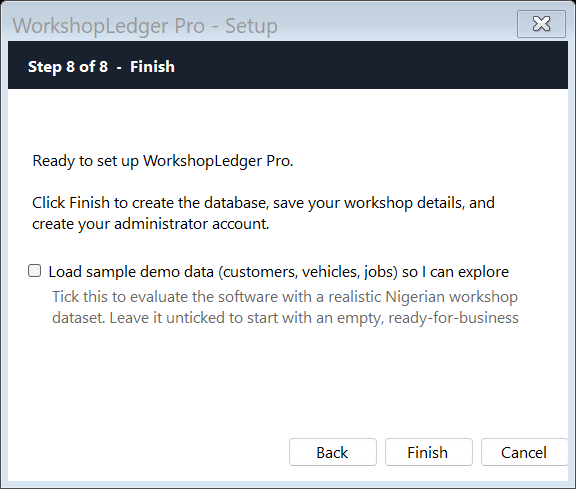
Complete setup and begin using WorkshopLedger Pro.
Activate online with your licence number and activation code, or import a signed .wlplic file to run fully offline. Your data is never held hostage — backup and export stay available even without a licence.
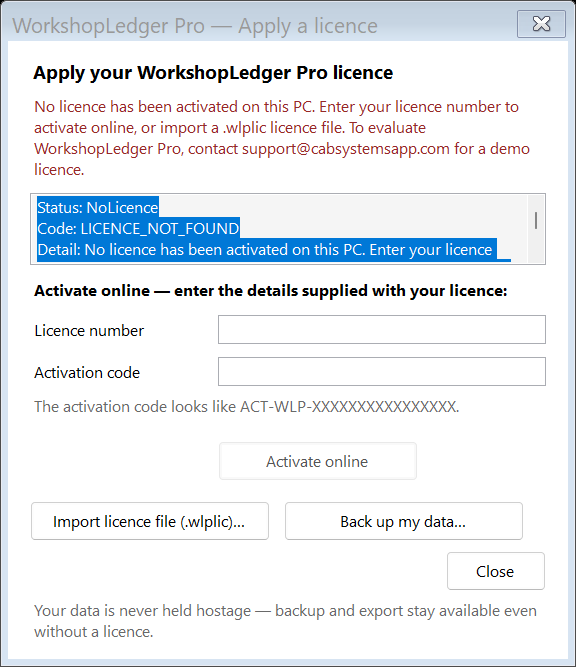
Enter or import a licence from inside the app at any time — no reinstall needed.
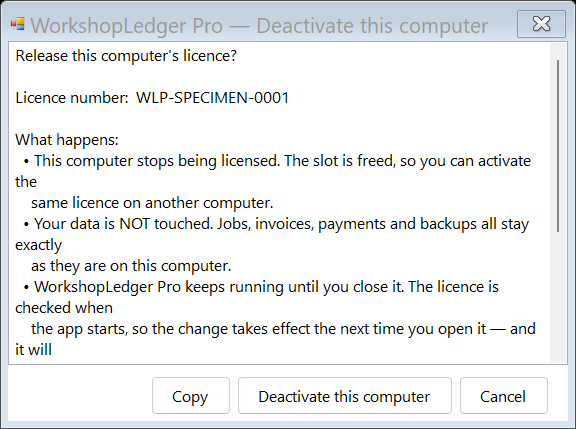
Deactivate a PC to free the licence slot, then activate the same licence on a different computer. Your jobs, invoices, payments, and backups stay exactly as they are.
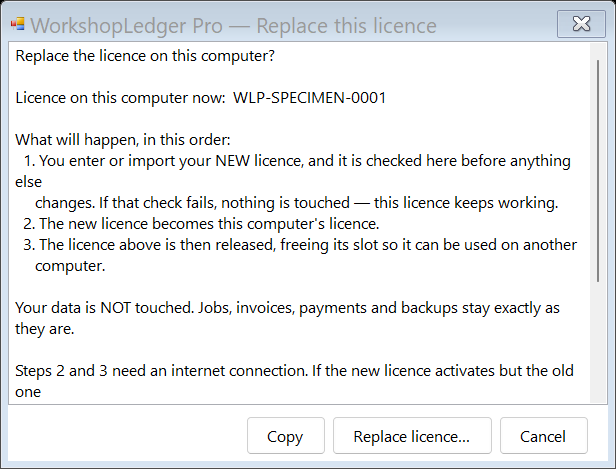
Swap the licence on a computer in one guided step — the new licence is verified before the old one is released, and your data is never touched.